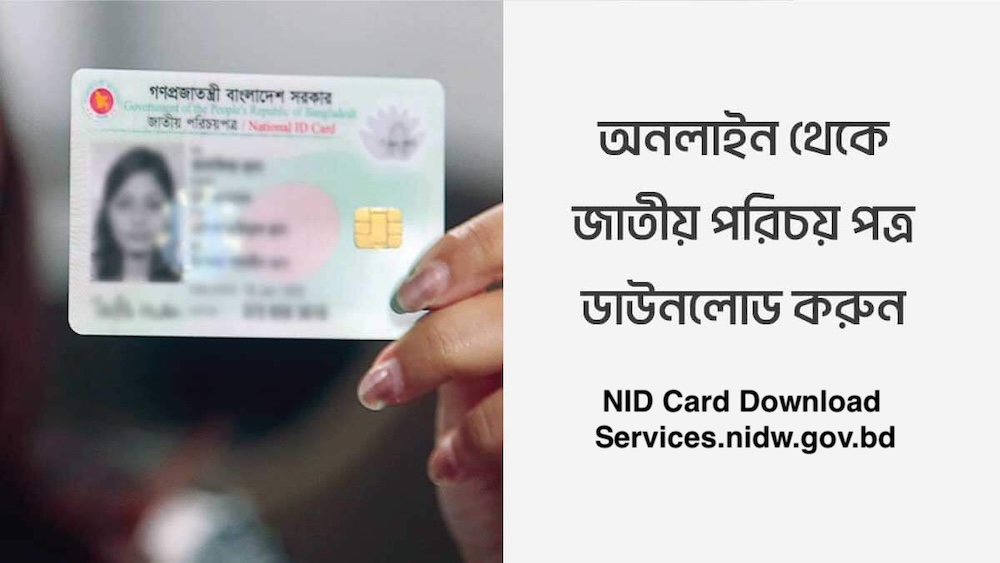
NID Card Download services.nidw.gov.bd – Here we will discuss about how to Download NID Card from services.nidw.gov.bd. The NID Card Download service allows eligible citizens of Bangladesh to access a digital copy of their National Identity Card online. The Bangladesh Election Commission’s National Identity Registration Wing (NIDW) provides online NID-related services through its official portal, services.nidw.gov.bd.
NID Card Download services.nidw.gov.bd
If you have already registered as a voter and have an NID record, you may be able to access and download your digital NID copy through the official NID Services portal.
This portal allows eligible Bangladeshi citizens to obtain an official online copy (PDF version) of their NID, which can be used for various purposes such as job applications, banking, government services, and more—especially useful when the physical smart card is not immediately available or has been lost or delayed. As of March 2026, the primary official website for NID-related services, including downloading, remains https //services.nidw.gov.bd. (often accessed via the login/portal page at https //services.nidw.gov.bd/nid-pub).
What is NID Card Download?
NID Card Download refers to obtaining a digital copy of your Bangladesh National Identity Card through the official online NID service portal. A downloadable NID copy can be useful when you need to provide your identity information for various services. However, whether a digital copy is accepted depends on the organization or service provider requesting your NID.
How to Download NID Card from services.nidw.gov.bd
To check your NID card or download your voter ID, start by visiting https://services.nidw.gov.bd/nid-pub/claim-account. Enter your voter ID card number or the number from your voter slip in the first field. In the second field, input your date of birth and the captcha provided. Finally, click the search button. This process will allow you to verify your voter ID card and register your account for downloading the online NID card.
The general process for downloading your NID card online is outlined below.
Step 1: Visit the NID Services Portal
First, visit the official NID Services website at services.nidw.gov.bd
Make sure you are using the official website before entering any personal information.
Step 2: Log In or Register
If you already have an account, log in using your registered information.
If you have not created an account, follow the portal’s registration instructions. You may need to provide relevant NID information and complete an identity verification process.
Step 3: Verify Your Identity
The NID online service may require identity verification before you can access your NID information.
Depending on the service and your account status, you may be required to use the NID Wallet application for identity verification.
Follow the instructions displayed on the official portal carefully.
Step 4: Access Your NID Information
After successful verification, log in to your NID account and access the services available for your profile.
If your digital NID is available for download, you should see the relevant option within your account.
Step 5: Download Your Digital NID
Select the appropriate download option and save the digital copy of your NID card to a secure location on your device.
You may keep a backup copy for future use, but make sure your NID file is protected because it contains sensitive personal information.
Official NID Card Download Website
To access Bangladesh NID services online, always use the official Election Commission website.
- Official NID Services Portal:services.nidw.gov.bd
- Official NIDW Website:Bangladesh NIDW
Avoid entering your NID number, date of birth, OTP, password, or other personal information on unknown third-party websites.
What Do You Need to Download Your NID Card?
Depending on your account and the specific NID service, you may need some of the following:
- NID number or relevant registration information
- Date of birth
- Registered mobile number
- NID online account
- Login credentials
- Identity verification
- NID Wallet app, if required
The exact requirements may vary depending on your NID status and the services currently available through the official portal.
Why Can’t I Download My NID Card?
Sometimes users may experience problems when trying to download their NID card online.
Common reasons include:
- Your NID record may not yet be available for online download.
- Incorrect login information.
- Incorrect NID number or date of birth.
- Identity verification has not been completed.
- Temporary technical issues with the online portal.
- Your NID application or registration may still be under processing.
If you encounter an error, carefully check the information you entered and follow the instructions provided by the official NID portal.
How to Get a Duplicate NID Card?
If your NID card has been lost or damaged, you may need to apply for a duplicate or replacement NID through the procedures established by the Bangladesh Election Commission. The official NIDW website provides information and forms related to NID services, including duplicate NID card procedures.
Always check the latest instructions on the official NIDW website before submitting an application.
Can You Download NID After Correcting Your Information?
If you have submitted a request to correct information on your NID, the updated information may become available online after the correction has been reviewed and approved. Once the correction process is completed, eligible users may be able to access the updated digital NID through the online NID portal.
The availability of the updated copy depends on the status of your correction request and the services available on the official portal.
Smart NID Card vs. Digital NID Copy
A Smart NID Card is the physical identity card issued by the Bangladesh Election Commission, while a downloadable NID copy is a digital version of your identity information.
They should not automatically be considered interchangeable for every purpose.
If a bank, government office, employer, telecom operator, or another organization specifically requests a physical Smart NID Card, follow that organization’s requirements.
Is NID Card Download Free?
The availability and fees for specific NID services can vary depending on the type of service requested. Before making any payment, check the current information and instructions on the official NIDW or NID Services portal. Avoid paying unofficial websites or individuals claiming that they can provide special access to your NID.
Important Safety Tips for NID Card Download
Your NID contains highly sensitive personal information. Keep the following security tips in mind:
- Use only the official NID Services website.
- Never share your OTP or password with anyone.
- Do not provide your NID information to unknown websites.
- Avoid clicking suspicious NID-related links received through messages or social media.
- Keep your downloaded NID file in a secure location.
- Do not publicly post your NID number or a photo of your NID card.
- Verify the website address before entering personal information.
Frequently Asked Questions About NID Card Download
Where can I download my NID card?
Eligible citizens can access NID-related online services through the official Bangladesh Election Commission NID Services portal:
Do I need an account to download my NID?
You generally need to access the NID online service using the appropriate account and complete the required verification process.
Can I download my NID without an NID number?
If you do not yet have an NID number, your available services will depend on your voter registration or NID application status. New voter registration is a separate process.
What is NID Wallet?
NID Wallet is an identity verification application associated with Bangladesh’s online NID services. Where required, users may be instructed to use it to complete identity verification.
Is the downloaded NID the same as a Smart NID Card?
No. A downloaded digital NID copy and a physical Smart NID Card are different forms of NID documentation. Whether the digital copy is accepted depends on the organization requesting your identification.
What should I do if the NID website is not working?
First, check that you are using the official website and that your internet connection is stable. You can also try again later if the portal is experiencing temporary technical problems.
For persistent issues, follow the support or contact instructions provided by the official NID Services portal or Bangladesh Election Commission.
Conclusion
The NID Card Download service makes it easier for eligible Bangladeshi citizens to access their National Identity Card information online. Through the official services.nidw.gov.bd portal, users can access available NID services, complete identity verification when required, and download their digital NID copy when eligible.
For security, always use the official Bangladesh Election Commission NID services website and never share your OTP, password, or sensitive NID information with unauthorized individuals or websites.